
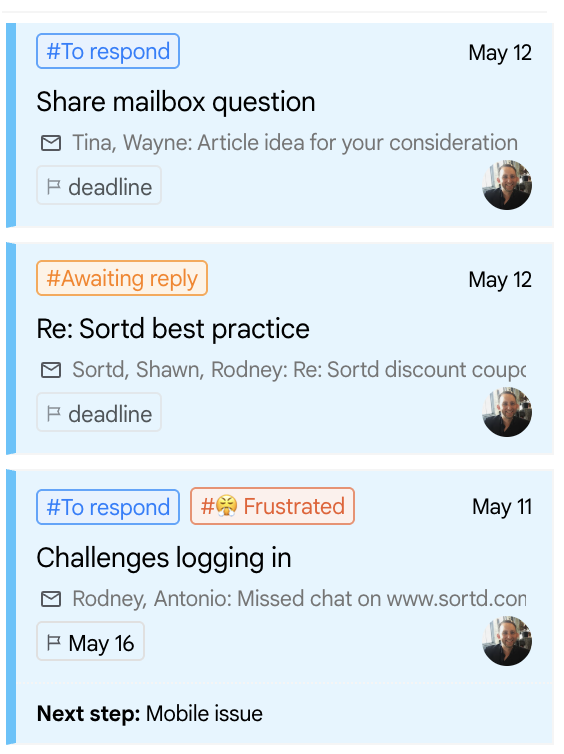
Sortd Automations can use AI to automatically assess items on your boards and update key fields for your team.
This helps teams get more oversight across their boards without needing to manually review every email thread or task. For example, Sortd can use AI to identify the status, sentiment, or urgency of a conversation when a new item is added to a board, or when an email reply is received or sent.
What AI actions can do
You can use AI actions in automations to:
- Set status with AI
- Set sentiment with AI
- Set urgency with AI
These AI actions work like other automation actions in Sortd. You choose when the automation should run, add any conditions you need, and then choose the AI action you want Sortd to perform.
When AI actions can run
AI actions can be triggered when:
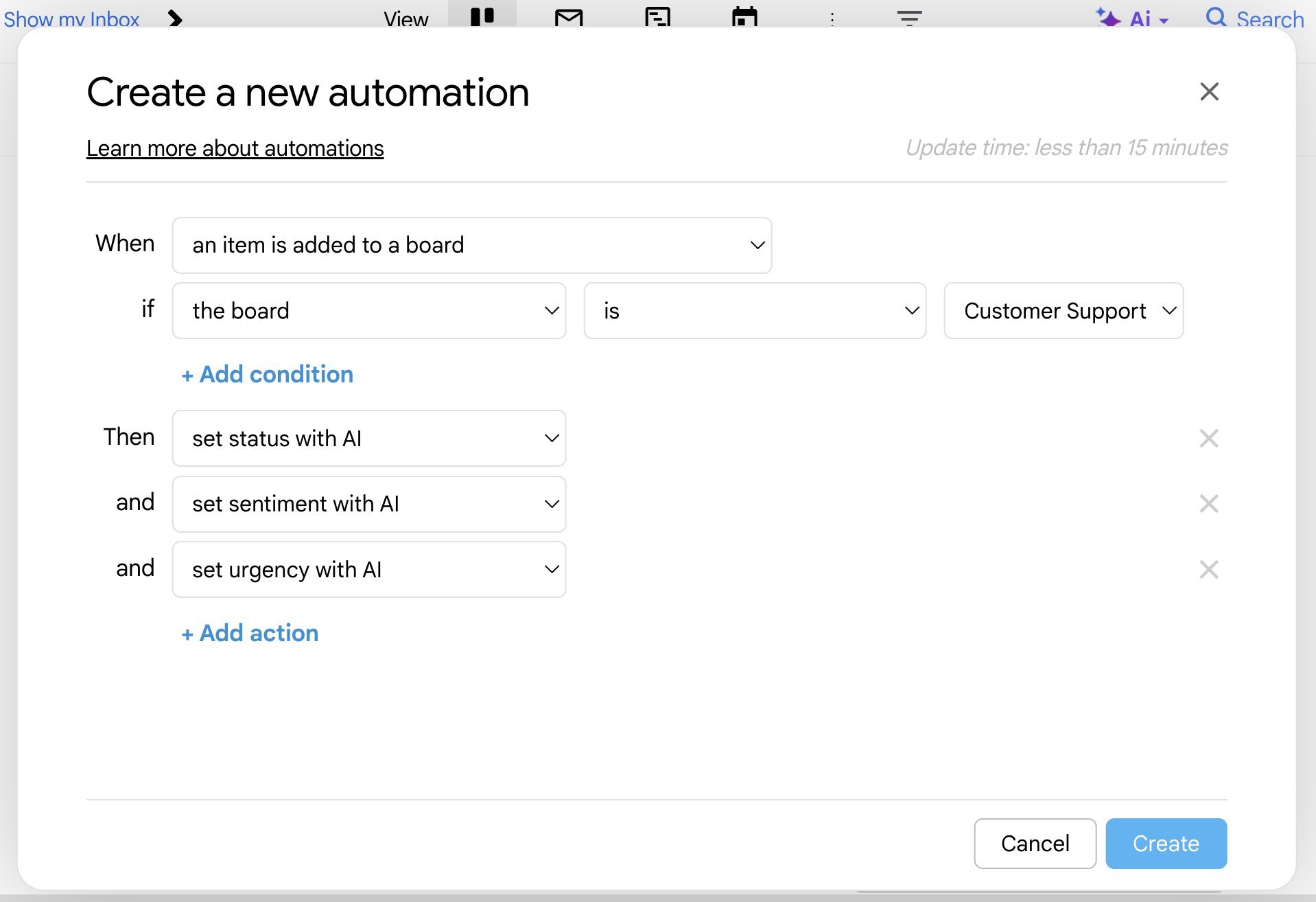
- An item is added to a board
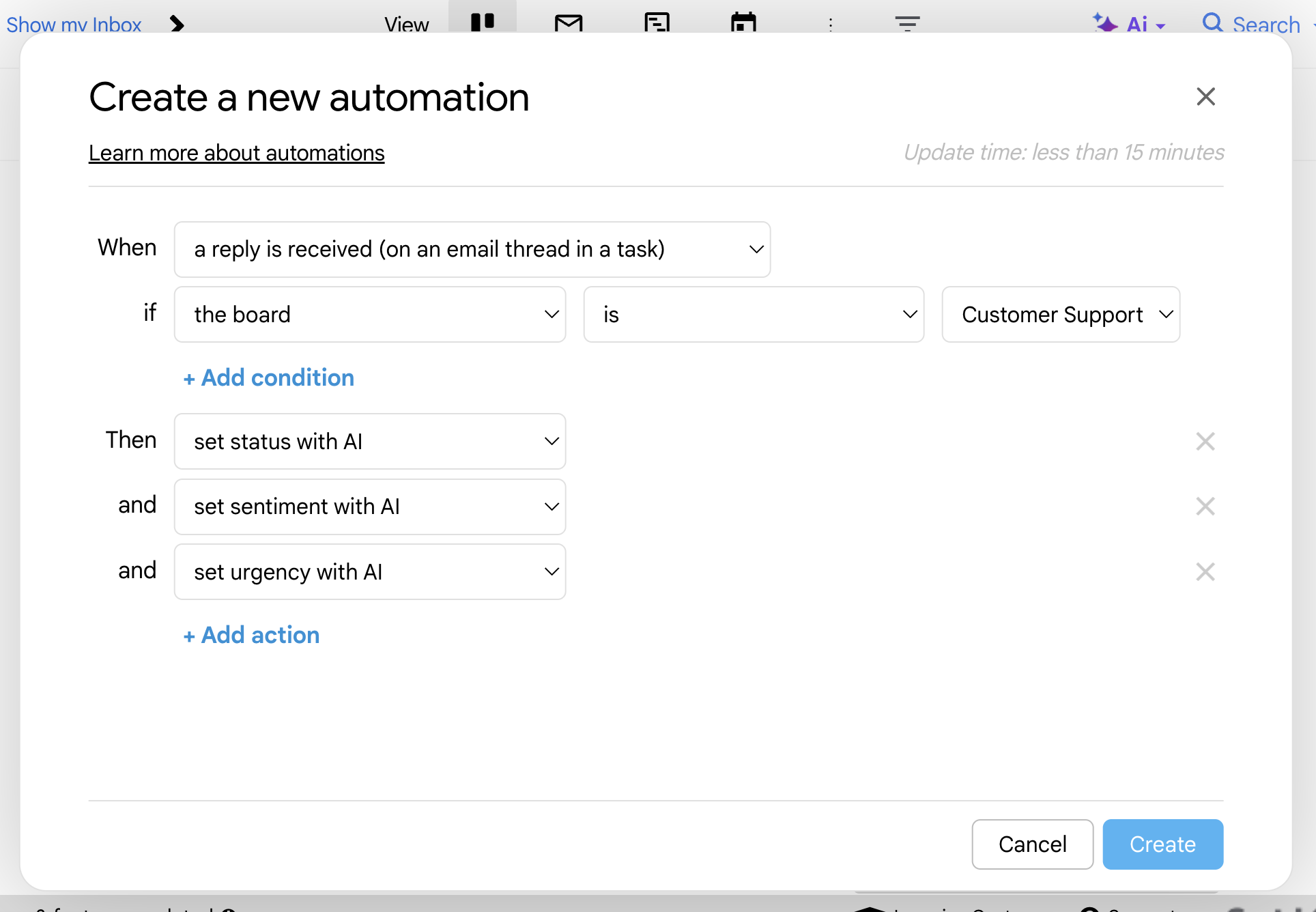
- A reply is received on an email thread in a task
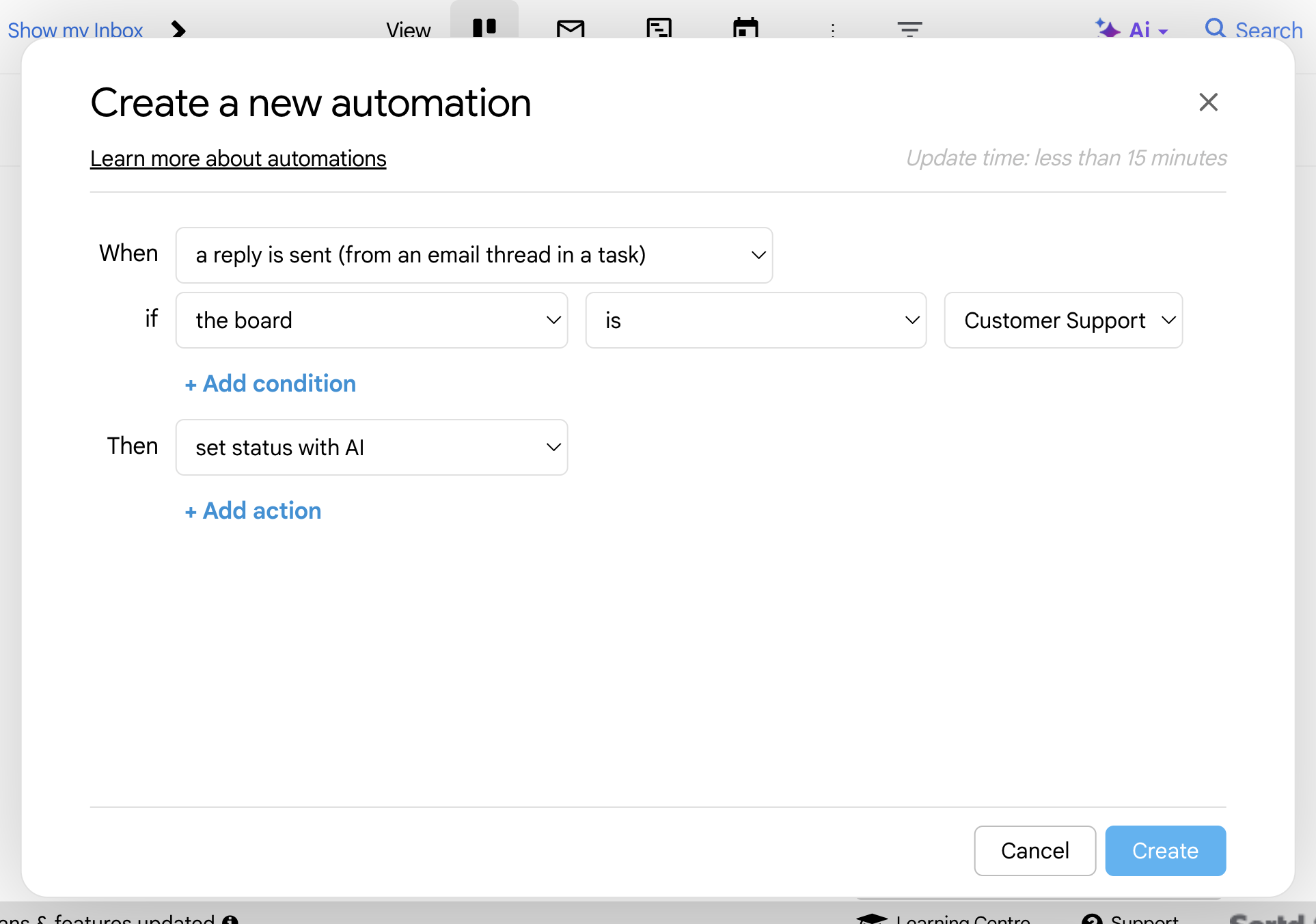
- A reply is sent from an email thread in a task
This allows Sortd to automatically review new or updated conversations and apply AI-powered updates to help your team understand what needs attention.
Example use cases
You could use AI automations to:
- Automatically identify urgent customer support emails
- Flag positive or negative customer sentiment
- Update the status of a task based on the latest email activity
- Help teams prioritize replies
- Keep boards more organized as new emails and replies come in
How to create an AI automation
- Open Sortd Automations.
- Click Create a new automation.
- Under When, choose one of the supported triggers:
- An item is added to a board
- A reply is received on an email thread in a task
- A reply is sent from an email thread in a task
- Add any conditions you need, such as selecting the relevant board.
- Under Then, choose one of the AI actions:
- Set status with AI
- Set sentiment with AI
- Set urgency with AI
- Add any other actions if needed.
- Click Create.
Once the automation is created, Sortd will apply the selected AI action whenever the trigger and conditions are met.
Example automation
Here is an example of an automation for a Customer Support board:
When: A reply is received on an email thread in a task
If: The board is Customer Support
Then: Set urgency with AI
And: Set sentiment with AI
This helps your team quickly see which customer conversations may need attention.
AI automation availability by plan
Some automation and AI features depend on your Sortd plan.
| Feature | Included from |
Basic automations | Starter |
Advanced automations | Essentials |
Unlimited automations | Business |
Set status with AI / AI Smart Status | Essentials |
Set sentiment with AI | Business |
Set urgency with AI | Business |